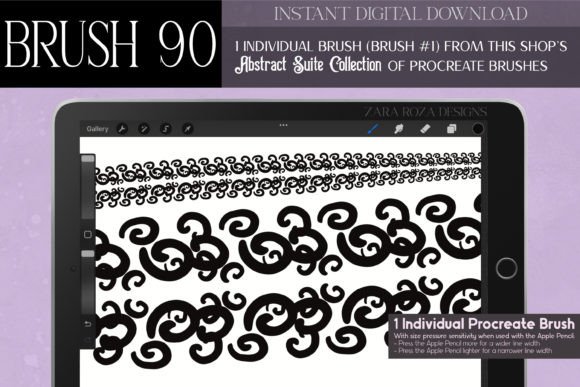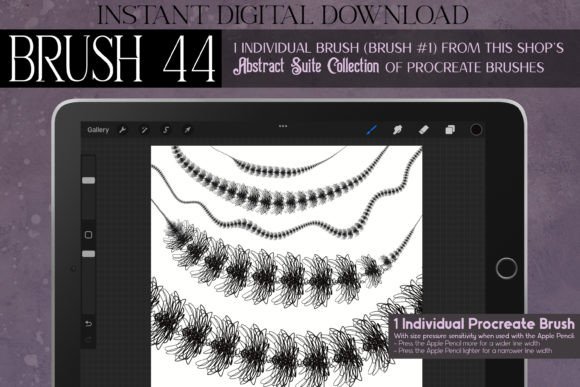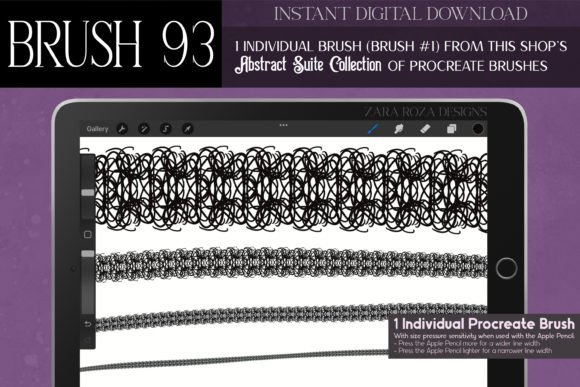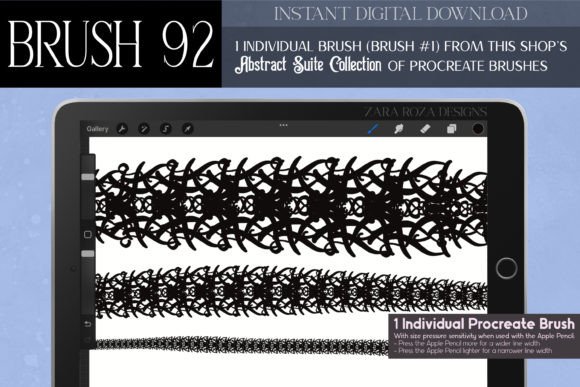
Procreate Brush 96: Abstract Suite Guide
Digital illustration thrives on texture and personality. While standard brushes offer precision, they often lack the organic quirks that make artwork feel handcrafted and unique. This is where specialized tools become essential for artists looking to elevate their workflow. The Procreate Brush 96 – Abstract Suite offers a distinct solution for creators who want to infuse their projects with character without spending hours drawing intricate details from scratch. Designed for the iPad and iPhone, this digital asset serves as a versatile companion for anyone interested in blending modern digital convenience with vintage-inspired aesthetics.
Understanding the Artistic Appeal
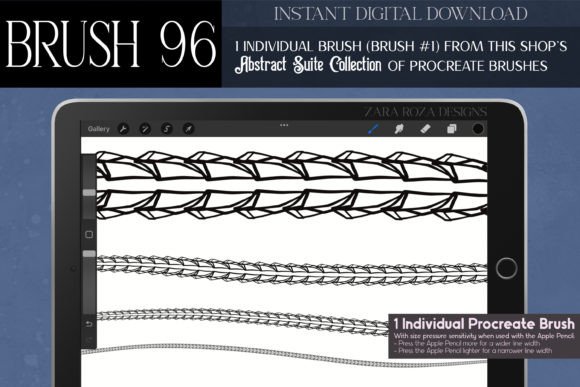
At its core, this brush is not just a simple stamp; it is a digitally hand-drawn tool created to mimic the elegance of historical art movements. The design draws heavy inspiration from Art Deco, Art Nouveau, and the moody atmosphere of Dark Academia. For artists who appreciate the ornate lines of Victorian design or the mechanical charm of Steampunk, this brush provides an immediate gateway to those styles. It captures a gothic yet fancy mood, making it ideal for projects that require a touch of mystery or luxury.
The value of the Procreate Brush 96 – Abstract Suite lies in its ability to generate complex visuals with minimal effort. Instead of manually plotting every curve of a spider web or sketching each leaf on a curly branch, users can apply this brush to create symmetrical, geometric, or freeform patterns instantly. This efficiency is particularly beneficial for professionals working under tight deadlines, as well as hobbyists who want to experiment with high-concept designs without needing advanced technical skills.
Versatile Applications for Creators
One of the strongest features of this tool is its adaptability across various creative fields. Whether you are a fashion designer, a tattoo artist, or a stationery creator, the brush supports a wide range of applications. Here are some practical ways to integrate it into your workflow:
- Fashion and Textile Design: Use the brush to sketch intricate lace patterns, embroidery details, or fabric textures. It works beautifully for designing jewelry concepts, such as necklaces and bracelets, where delicate line work is crucial.
- Graphic Design and Branding: Create bold graphic elements for logos, borders, and ornaments. The abstract lines and shapes can serve as unique frames for social media posts or marketing materials, adding a retro vintage flair to modern brands.
- Tattoo and Body Art: The mystical and magical aesthetic makes it perfect for drafting tattoo stencils. Artists can quickly visualize fairy-themed motifs, witchy symbols, or elegant floral arrangements before committing to skin.
- Interior and Architecture: Decorators can use the brush to draft decorative molding, wallpaper patterns, or interior decoration elements that reflect a classy, boho, or gothic style.
For educators and students, this tool simplifies the process of creating engaging visual aids. From homeschooling materials to university graduation card decor, the brush allows for the quick generation of thematic illustrations that capture attention. It bridges the gap between professional-grade design and accessible creativity.
Seasonal and Event-Based Creativity
Creativity often follows the calendar, and this brush is exceptionally suited for seasonal projects. Its intricate and cute kawaii elements can be adapted for various holidays and celebrations. During Halloween, the gothic and witchy aspects shine, allowing for the creation of spooky spider webs, magical potions, and eerie backgrounds. For Christmas and New Year events, the elegant lines can be used to design sophisticated greeting cards, party invitations, and festive borders.
In the spring and summer, the same tool can shift focus to lighter, fairy-like themes. Imagine designing baby shower invitations with delicate, nature-inspired motifs or creating vibrant outfits for anime and manga characters. The brush supports everything from casual get-together stationery to formal wedding decor. By adjusting pressure sensitivity and opacity in Procreate, users can transform the bold graphic design into soft, whimsical accents suitable for birthdays, Easter, or Valentine’s Day.
Technical Considerations and Best Practices
Before purchasing or using the Procreate Brush 96 – Abstract Suite, it is important to understand the technical requirements. This is an instant digital download, meaning there is no physical product shipped. You must have the Procreate app installed on an iPad, iPad Pro, or iPhone to use it. It is not compatible with other software like Photoshop or Procreate Pocket on non-iOS devices unless specified otherwise by the developer.
For beginners, getting the best results involves experimenting with layer settings. Since the brush creates detailed line art and abstract shapes, combining it with different blend modes can enhance its visual impact. Try using it on a separate layer above your base colors to add texture without altering the underlying image. Additionally, because the brush is inspired by hand-drawn illustrations, varying your stroke speed can change the output’s appearance, offering a more organic feel.
It is also worth noting that while the brush is versatile, it works best when used with intention. Overusing complex patterns can clutter a design. Use the brush to highlight specific areas, such as outfit embellishments, hair accessories, or background details, rather than covering the entire canvas. This approach maintains a balance between intricate detail and clean composition.
Why Choose This Digital Tool?
In a market saturated with generic brushes, the Procreate Brush 96 – Abstract Suite stands out due to its specific artistic direction. It caters to those who love the intersection of magic, history, and modern design. Whether you are creating nail art designs, portrait art enhancements, or comic book backgrounds, this tool provides a unique voice to your work. It saves time, inspires new ideas, and allows for a level of detail that might otherwise take hours to achieve manually.
For small business owners and entrepreneurs, investing in specialized digital assets like this can streamline production. Creating custom stickers, planners, or print-on-demand products becomes faster and more consistent. The ability to produce high-quality, themed graphics quickly can be a significant advantage in competitive creative industries. Ultimately, this brush is more than just a tool; it is a catalyst for creativity, encouraging users to explore styles they might have previously found too challenging or time-consuming.