Mastering the Bulb with Heart Design: A Guide to Quality, Usage, and Best Practices
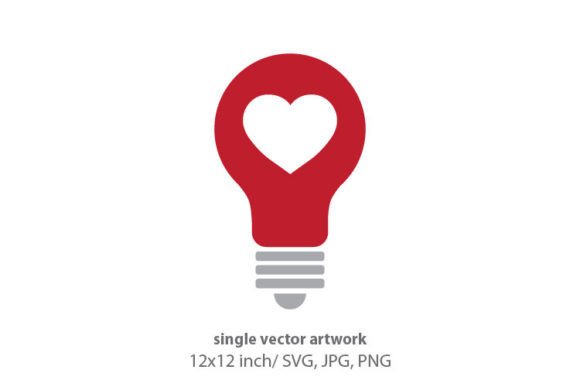
In the vast ecosystem of digital assets, finding a graphic that perfectly balances conceptual clarity with aesthetic appeal can be challenging. The Bulb with Heart motif has emerged as a powerful visual metaphor, merging the traditional symbolism of an idea or innovation (the lightbulb) with warmth, care, and passion (the heart). Whether you are a seasoned graphic designer, a small business owner launching a new brand, or a hobbyist creating handmade cards, understanding the technical and creative nuances of this specific asset is crucial for achieving professional results.
This guide explores the practical aspects of using vector-based Bulb with Heart clipart. We will address common pitfalls in selection and application, ensuring your final output—whether digital or printed—maintains high quality and communicates your intended message effectively.
Understanding the Technical Specifications
Before diving into design applications, it is essential to understand what you are actually downloading. High-quality digital graphics, such as the Bulb with Heart element described here, are typically created in vector programs like Adobe Illustrator. This origin story matters significantly for your workflow.
The standard specifications for premium assets often include an artboard size of 12 x 12 inches at a resolution of 300 DPI in the RGB color palette. You will usually receive files in three primary formats: SVG, JPG, and PNG. Each format serves a distinct purpose, and misunderstanding their roles is one of the most frequent mistakes creators make.
- SVG (Scalable Vector Graphics): This is your master file. Because it is vector-based, it can be scaled infinitely without losing quality. It is ideal for logo design, large-format printing, and web development where crisp lines are non-negotiable.
- PNG (Portable Network Graphics): This format supports transparency. It is perfect for layering the Bulb with Heart over other images, creating digital invitations, or using in presentation slides where you need the background to remain invisible.
- JPG (Joint Photographic Experts Group): This is a raster image with a solid background. It is best suited for quick previews or social media posts where transparency is not required.
Common Mistakes and How to Avoid Them
Even with high-quality source files, poor execution can undermine your project. Here are several overlooked details that often lead to subpar results, along with corrective strategies.
Mistake 1: Using Raster Files for Large Prints
A frequent error occurs when users attempt to print large items, such as wall art or party decor, using only the JPG or PNG files. While these files are high resolution (300 DPI), they are still raster images. If you scale a 12x12 inch JPG to fit a 24x24 inch canvas, the image will pixelate, resulting in blurry edges and a unprofessional appearance.
The Better Approach: Always import the SVG file into your design software for any project that requires scaling beyond the original dimensions. Vector paths remain sharp regardless of size, ensuring your Bulb with Heart looks crisp on everything from a business card to a banner.
Mistake 2: Ignoring Color Profile Compatibility
The files are provided in the RGB color palette, which is optimized for screens (monitors, phones, tablets). However, if you are creating printed paper items, stationery, or handmade craft items for commercial sale, printers often require CMYK color profiles. Printing an RGB file directly can result in dull or shifted colors, particularly with vibrant hues.
The Better Approach: If you are sending designs to a professional printer, convert your document color mode to CMYK within your design software before exporting. Check the colors against a physical swatch book if possible. For home printing or digital-only use, RGB is perfectly acceptable and often more vibrant.
Mistake 3: Overcomplicating the Design
The Bulb with Heart is a strong standalone symbol. A common misconception is that it needs excessive embellishment to look "finished." Adding too many textures, shadows, or competing elements can clutter the composition, diluting the core message of "innovative care" or "bright ideas with passion."
The Better Approach: Embrace minimalism. Use the vector element as a focal point. For logo design, pair it with clean, readable typography. For web design, use it as an icon to highlight key features like "Customer Support" or "Creative Solutions." Let the negative space work for you.
Practical Applications Across Industries
Versatility is the hallmark of a well-designed vector asset. Here is how different professionals can leverage this graphic effectively while avoiding common usage errors.
For Entrepreneurs and Small Business Owners
If you are building a brand identity, consistency is key. Use the SVG file to create a cohesive look across your stationery, invoices, and website. Ensure that the Bulb with Heart is always displayed in your brand’s primary colors. Do not stretch or distort the aspect ratio of the vector; always scale proportionally to maintain the integrity of the design.
For Educators and Content Creators
Educators often use such graphics in presentations and worksheets. The PNG format is ideal here due to its transparency. You can overlay the Bulb with Heart onto colorful backgrounds without unsightly white boxes appearing around the edges. However, ensure there is sufficient contrast between the graphic and the background so that the details remain visible to students.
For Crafters and Hobbyists
When creating handmade cards, invitations, or jewelry, precision cutting is often required. The SVG file is compatible with most digital cutting machines (like Cricut or Silhouette). A common mistake is failing to "ungroup" or "release" compound paths in the vector software before sending the file to the cutter. This can lead to incorrect cut lines.
The Better Approach: Open the SVG in your vector editor, inspect the paths, and simplify them if necessary. Test cut on scrap material before committing to your final stock to ensure the intricate curves of the heart and bulb are rendered accurately.
What to Check Before You Download or Buy
Not all digital graphics are created equal. Before integrating a Bulb with Heart element into your workflow, verify the following:
- License Terms: Ensure the license allows for your intended use, whether commercial (selling products) or personal. Some licenses restrict the number of physical items you can sell.
- File Integrity: Open the SVG in a browser or vector viewer to confirm the paths are closed and clean. Jagged edges or open nodes can cause issues in printing and cutting.
- Color Editability: Confirm that the vector elements are easily recolorable. In Adobe Illustrator, you should be able to select individual parts of the bulb and heart to change their fill and stroke colors independently.
By paying attention to these technical and creative details, you transform a simple clipart file into a versatile tool for communication. The Bulb with Heart is more than just an image; it is a visual shorthand for empathy-driven innovation. When used correctly, with respect for its vector nature and color properties, it elevates your projects from amateur to professional, ensuring your message is received with clarity and impact.